Unstuff the MacQFE.sit Archive to any convenient place on your hard drive. If you have an area devoted to games then it should probably go there.
When you run MacQFE for the first time it will ask you to locate your Quake Application. You should use the "open file" dialog to choose an application (either Quake, Quake 3dfx, or Quake RAVE or any other variant).
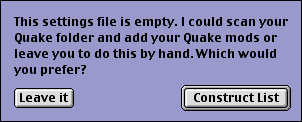
Next, MacQFE will ask if you would like it to collect the mods you already have placed within Quake's folder.
If you agree it will scan the Quake folder, looking for mods.
MacQFE defines mods as folders that contain a "maps" folder, a "progs" folder, or a "progs.dat" file. Occasionally it may come across a folder that appears to be a mod, but has a name that Quake won't recognise, this sometimes happens when youm decompress a mod and the decompression application adds the word "Folder" or "Ä" to the folder's name. In this case MacQFE will ask if you want to change the name of the folder, or whether to ignore the folder. For example:

The final result will be a window that looks something like this...
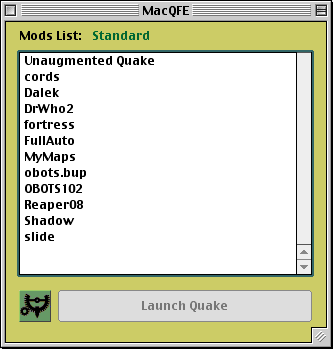
The big window is your list of mods plus the plain "Vanilla" Quake at the top, there's also a decorative little icon in the lower corner, and a big tempting button marked Launch Quake.
The button is greyed out because you haven't selected a mod to play yet. To select one, simply click on its name in the list.
Now you can press Launch Quake and start a game of Quake.
If you haven't registered MacQFE yet, a small warning will appear for 6 seconds to remind you to pay your Shareware fee.