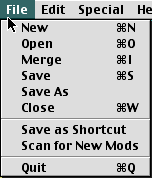
Saving your settings files:

When MacQFE is launched for the first time it creates a settings file called "Standard" in the same folder as the MacQFE application. MacQFE will only read and write settings files to and from the same folder as the MacQFE application.

You can save the current settings file, with any changes you've made, by clicking the Save option of the File menu.

You can load other settings files from the MacQFE folder by clicking the Open option of the File menu.

You can also create your own settings file by clicking the New option of the File menu. Alternatively you can save the current settings file under a new name by using the Save As option of the File menu.

Should you wish to combine two or more settings files then you can use the Merge option of the File menu.
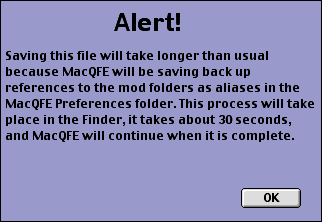
When MacQFE saves a settings file for the first time you will get the following warning...

MacQFE uses Applescript to make aliases of your mod folders. This is so it can keep track of their location even if you move or rename your Quake folder. This process has to be done in the Finder and can take as long as 30 seconds. MacQFE will continue when this process is complete.


Shortcuts

Shortcuts are a very convenient way to launch your favourite Quake mods. You can simply double click a MacQFE Shortcut file and Quake will be immediately launched with your chosen mod and settings (assuming you've registered MacQFE - otherwise you will be prompted to do so).

To save any setting as a Shortcut, first select the setting in MacQFE's window, then click the Save as Shortcut option of the File menu.